
Asset Details
You can store and find details on your vehicle relating to any of the below by selecting a Vehicle from the Vehicle Table and navigating to the Details tab:
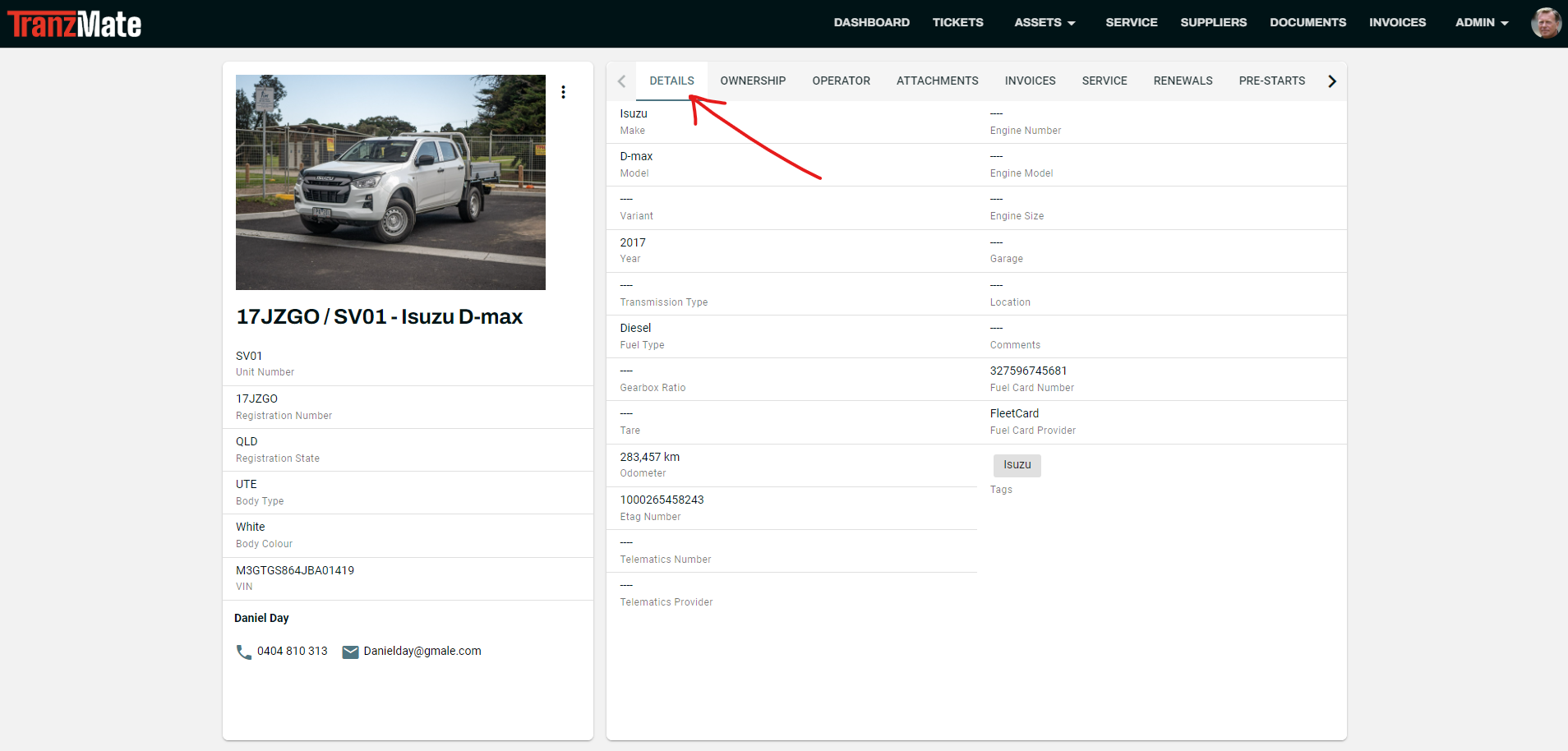
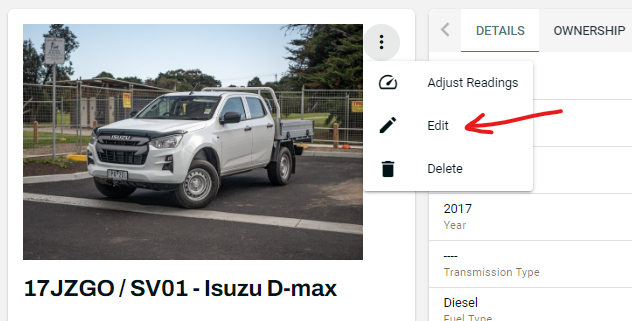
Edit Asset Details
- To edit an Asset's Details, click on the ⋮ and select Edit.
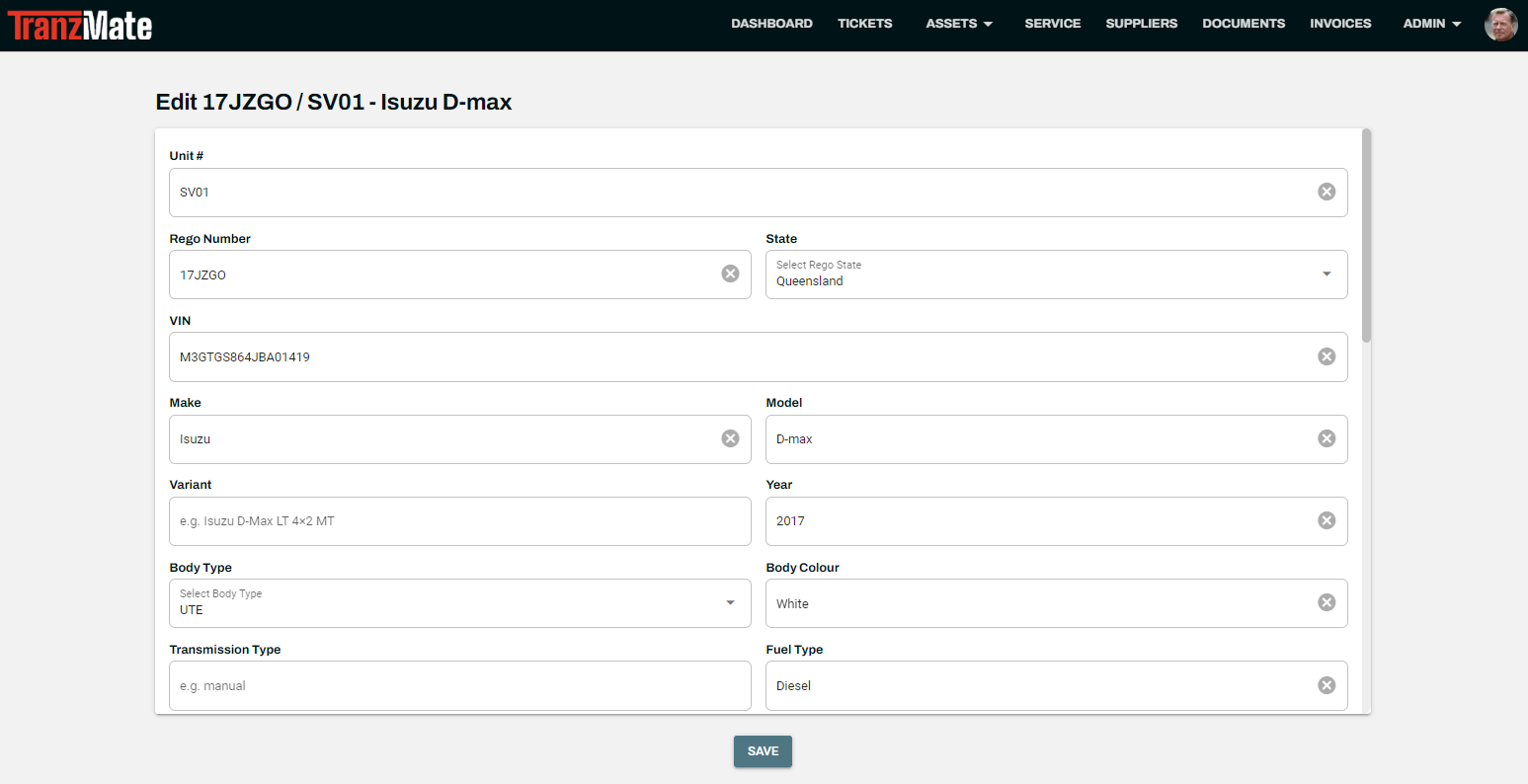
- Add or update the details from the edit page, and click Save once complete.
Vehicle Details
- Unit Number
- Registration Number
- Registration State
- VIN
- Make
- Model
- Model Variant
- Year
- Body Type
- Body Colour
- Transmission Type
- Fuel Type
- Gearbox Ratio
- Tare
- Engine Number
- Engine Model
- Engine Size
- Garage
- Location
- Comment
- Tags
- Reading Type
- Last Service Date
- Last Service Odometer
- Next Service Date
- Next Service Odometer
- Service Warning Threshold by Days
- Service Warning Threshold by Odometer Reading
- Etag Number
- Telematics Provider
- Telematics Number
- Fuel Card Provider
- Fuel Card Number